1.5 Header definition
As shown in Fig.1-5-1, choose the menu SEGY->Define Trace Header to open a dialog box as Fig.1-5-2.
Step 1
Click the button "<>" to select the file "vib_eg.sgy".Step 2
Expand horizontally the dialog so as to show all columns in the bottom table (Fig.1-5-3).Step 3
Move the scroll bars in the bottom table to check if the header data is correct.Step 4
As the header parameters in "vib_eg.sgy" are totally in the default position, just keep the settings intact and quit (Fig.1-5-3).
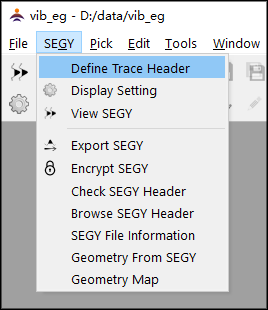
Fig.1-5-1 The menu "Define trace header"
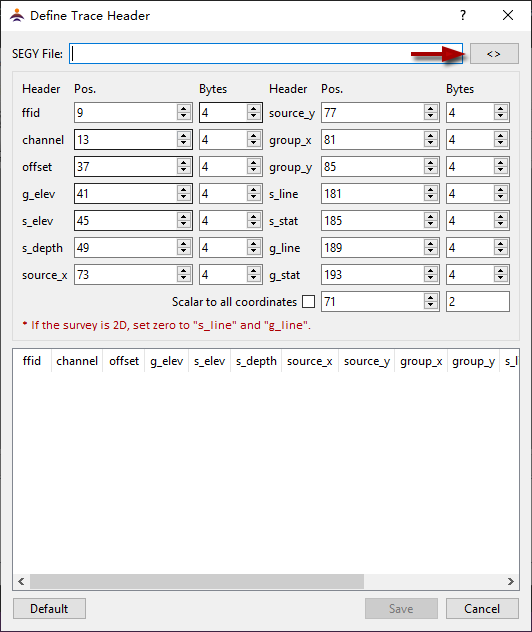
Fig.1-5-2 The dialog of header definition
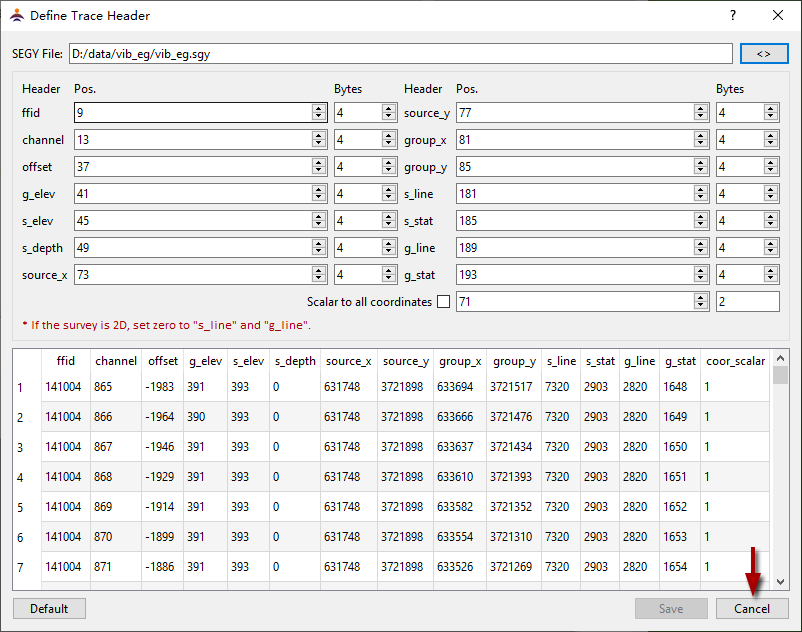
Fig.1-5-3 Setting the header definition