1.4 Create project
Choose the menu File->New Project (Fig.1-4-1) to open a dialog box as shown in Fig.1-4-2, and complete the following steps:
Step 1
Type in a project name, such as "vib_eg".
Step 2
Click the button "<>" and select the data directory as "D:/data/vib_eg", or type it directly.
Step 3
Type in a breif description of your project in the textbox as "This is a demo project." (or whatever you like).
Step 4
Click the button "OK" to finish project creation. The new created project will be opened automatically (Fig.1-4-3).
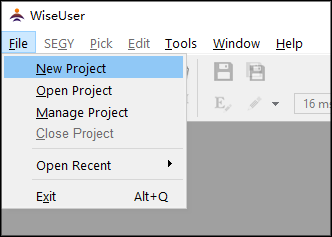
Fig.1-4-1 The menu "New Project"
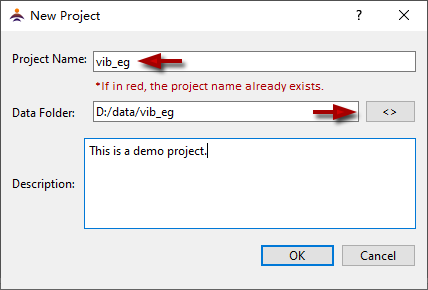
Fig.1-4-2 The dialog of "New Project"
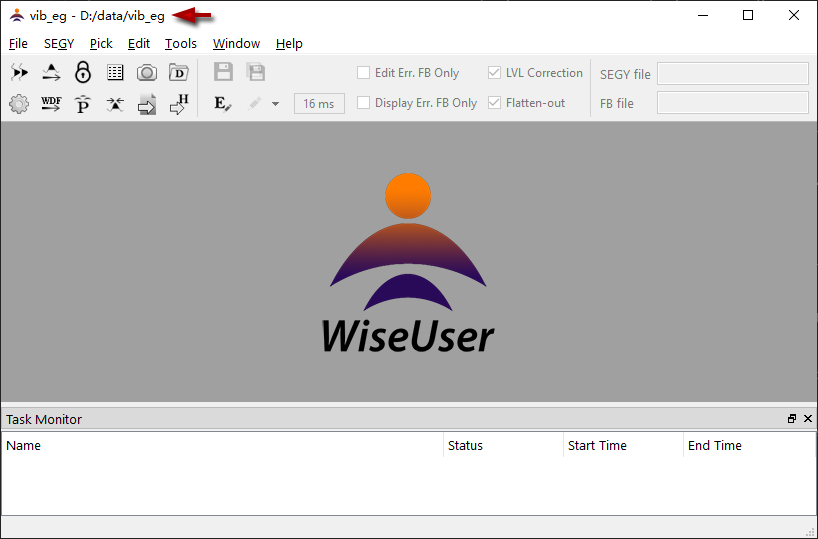
Fig.1-4-3 The new project is opened automatically